

完全自动化智能水族箱系统设计
摘要
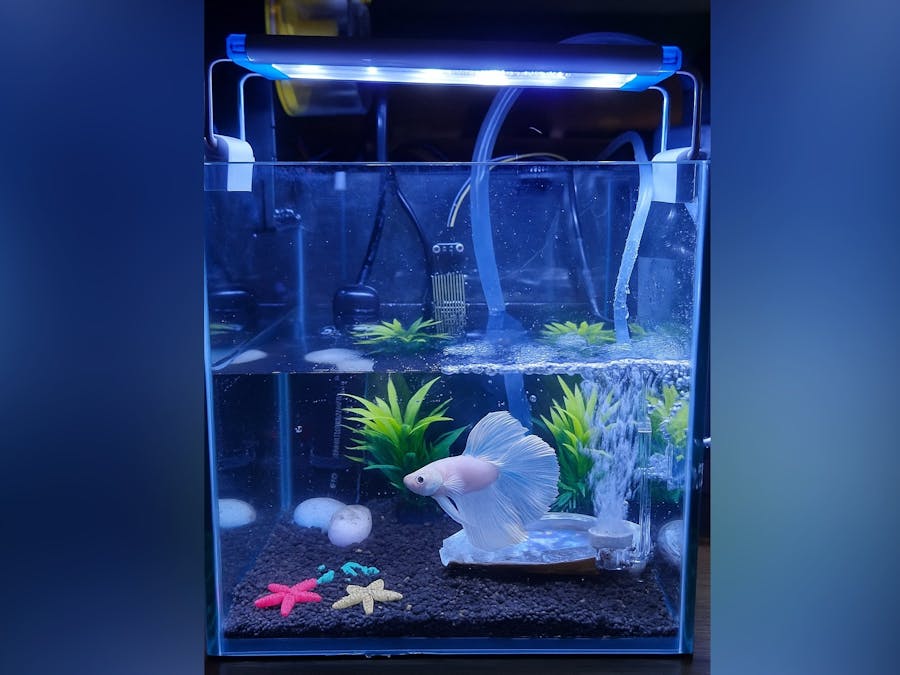
本项目构建了一个“全自动智能水族箱系统”。系统以 oneM2M/Mobius 作为核心 IoT 数据枢纽,通过 ESP32 负责环境数据采集与执行器控制,Raspberry Pi 执行鱼类疾病检测 AI 模型,Python 逻辑服务器进行规则判定与自动化,Android 应用提供用户交互界面。
文中不仅说明系统设计,还在每个模块中内嵌工程源码,形成可复现和可落地的技术文档。
1. 设计背景与目标
水族箱运行依赖多个外设(加热器、补水泵、过滤器、照明等),但这些设备通常由不同电源、不同开关单独管理;同时,水温、水位、光照等关键环境信息也难以集中查看。
系统目标:
集中化供电与控制
自动化完成日常维护任务(加热、换水、喂食等)
实时监测 + 远程控制 + 手机告警
支持鱼类疾病自动检测(AI)
2. 系统架构总览

整体架构如图所示(文字化):
| 模块 | 角色 | 描述 |
|---|---|---|
| ESP32(AE-Sensor & AE-Actuator) | 采集与控制 | 上传传感器数据、接收控制命令并驱动继电器 |
| Raspberry Pi(AE-Rapi) | AI 判断 | 捕捉图像 → CNN → Mobius |
| Mobius CSE | IoT 数据交换 | 提供 AE/CNT/CIN 与订阅机制 |
| Python Logic Server(AE-Logic) | 自动化逻辑 | 温控、水位告警、自动喂食、FCM 推送 |
| Android App(AE-App) | 人机交互 | 实时监控、水泵/喂食/LED控制 |
3. 传感器数据采集与上传(ESP32:AE-Sensor)
ESP32 定时读取温度、光照、水位等传感器,并向 Mobius 的容器(CNT)写入内容实例(CIN)。
3.1 上传 CIN 的核心代码(集成于叙述中)
Mobius 的数据格式要求如下:
{
  "m2m:cin": {
    "con": { "value": 26.5 }
  }
}
传感器节点的上传逻辑如下:
#include <WiFi.h>
#include <HTTPClient.h>

// Wi-Fi 与 Mobius 基本信息
const char* WIFI_SSID     = "YOUR_SSID";
const char* WIFI_PASSWORD = "YOUR_PASS";
const char* MOBIUS_HOST   = "https://your-nginx-domain.com";
const char* CSE_BASE      = "/Mobius";
const char* AE_SENSOR     = "AE-Sensor";

const char* ORIGIN        = "S-Sensor";   // 由 ACP 控制
const char* CONTENT_TYPE  = "application/json; ty=4";

// 传感器模拟
float readTemperature() { return 26.5; }
float readLight()       { return 500.0; }

String buildCinPayload(float value) {
    return "{"m2m:cin":{"con":{"value":" + String(value,2) + "}}}";
}

bool postSensorData(const char* cnt, float v) {
    String url = String(MOBIUS_HOST) + CSE_BASE + "/" + AE_SENSOR + "/" + cnt;
    HTTPClient http;
    http.begin(url);
    http.addHeader("X-M2M-Origin", ORIGIN);
    http.addHeader("X-M2M-RI", "req-" + String(millis()));
    http.addHeader("Content-Type", CONTENT_TYPE);

    int code = http.POST(buildCinPayload(v));
    Serial.printf("[Sensor] POST %s -> %dn", cnt, code);
    http.end();
    return code >= 200 && code < 300;
}

void loop() {
    postSensorData("temp",  readTemperature());
    postSensorData("light", readLight());
    delay(10000); // 每10秒上传一次
}
4. 执行器控制(ESP32:AE-Actuator)
ESP32 作为执行器节点,会轮询 Mobius 的控制容器:
/AE-Actuator/heater/AE-Actuator/feed/AE-Actuator/LED
并根据 CIN 的内容驱动继电器。
4.1 执行器轮询逻辑(与文章混排)
#include <WiFi.h>
#include <HTTPClient.h>
#include <ArduinoJson.h>

const char* AE_ACTUATOR = "AE-Actuator";
const int PIN_HEATER = 4, PIN_LED = 5, PIN_FEED = 18;

String getLatestCin(const char* cnt) {
    String url = String(MOBIUS_HOST) + CSE_BASE + "/" + AE_ACTUATOR + "/" + cnt + "/la";
    HTTPClient http;
    http.begin(url);
    http.addHeader("X-M2M-Origin", "S-Actuator");
    http.addHeader("X-M2M-RI", "ri-" + String(millis()));
    int code = http.GET();
    String payload = code==200 ? http.getString() : "";
    http.end();
    return payload;
}

void handleCommand(const char* cnt, const String& json) {
    StaticJsonDocument<512> doc;
    if (deserializeJson(doc, json)) return;

    JsonVariant con = doc["m2m:cin"]["con"];
    String cmd = con["heater"] | con["LED"] | con["feed"] | "";
    bool on = (cmd == "on");

    if(strcmp(cnt,"heater")==0) digitalWrite(PIN_HEATER,on);
    if(strcmp(cnt,"LED")==0)    digitalWrite(PIN_LED,on);
    if(strcmp(cnt,"feed")==0)   digitalWrite(PIN_FEED,on);
}
5. oneM2M 逻辑服务器(AE-Logic)
逻辑服务器负责:
Mobius 订阅管理
处理通知(传感器变化)
根据阈值控制加热器/LED
低水位推送告警
自动喂食调度
AI 结果处理
5.1 创建订阅(嵌入说明段落中)
def create_subscription(target, nu="https://your-server/notification"):
    url = MOBIUS_BASE + target
    sub = {
        "m2m:sub": {
            "rn": "sub-logic",
            "nu": [nu],
            "nct": 1,
            "enc": {"net": [3]}
        }
    }
    headers = {
        "X-M2M-Origin": ORIGIN,
        "X-M2M-RI": "ri-" + str(uuid.uuid4()),
        "Content-Type": "application/json; ty=23"
    }
    return requests.post(url, headers=headers, data=json.dumps(sub))
5.2 通知接收 + 处理 worker
@app.route("/notification", methods=["POST"])
def notification():
    notif = request.get_json() or {}
    threading.Thread(
        target=process_notification_worker,
        args=(notif,)
    ).start()
    return "", 200
其中 Worker 解析 CIN:
def process_notification_worker(n):
    cin = n["m2m:sgn"]["nev"]["rep"]["m2m:cin"]
    con = cin["con"]              # 例如 { "value": 26.3 }
    sur = n["m2m:sgn"]["sur"]     # 订阅路径

    if "temp" in sur: handle_temp(con["value"])
    if "wlevel" in sur: handle_wlevel(con["value"])
    if "fish-health" in sur: handle_fish_health(con)
5.3 温度控制逻辑
def handle_temp(temp):
    t_thresh = g_state["temp-threshold"]

    if temp < t_thresh - 0.5:
        send_mobius_command("heater", {"heater":"on"})
    elif temp > t_thresh + 0.5:
        send_mobius_command("heater", {"heater":"off"})
5.4 自动喂食调度
def scheduler_thread_fn():
    while True:
        t = time.localtime()
        if t.tm_min == 0 and t.tm_hour in g_state["feeding_times"]:
            send_mobius_command("feed", {"feed":"on"})
            time.sleep(1)
            send_mobius_command("feed", {"feed":"off"})
        time.sleep(60)
6. AI:Betta 鱼疾病检测模型(Raspberry Pi)
采用轻量级残差网络:
class BettaResNet(nn.Module):
    def __init__(self):
        super().__init__()
        self.conv1 = nn.Conv2d(3,64,7,2,3)
        self.bn1 = nn.BatchNorm2d(64)
        self.pool = nn.MaxPool2d(3,2,1)

        self.layer1 = self._block(64,64)
        self.layer2 = self._block(64,128,stride=2)
        self.layer3 = self._block(128,256,stride=2)
        self.layer4 = self._block(256,512,stride=2)

        self.fc = nn.Linear(512,3)

    def forward(self,x):
        x = F.relu(self.bn1(self.conv1(x)))
        x = self.pool(x)
        x = self.layer1(x)
        x = self.layer2(x)
        x = self.layer3(x)
        x = self.layer4(x)
        x = torch.flatten(F.adaptive_avg_pool2d(x,1),1)
        return self.fc(x)
推理结果写回 Mobius:
payload = {
    "m2m:cin": {
        "con": {"class":"White Spot","score":0.92}
    }
}
7. Android App(AE-App)与 Mobius 通信
应用采用 Retrofit2 访问 Mobius,通过 REST API 拉取数据和下发命令。
7.1 Retrofit 接口(嵌入叙述中)
interface MobiusApi {
    @GET("Mobius/AE-Sensor/temp/la")
    suspend fun getLatestTemp(): Response<MobiusCinWrapper>

    @POST("Mobius/AE-Actuator/pump")
    suspend fun sendPumpCmd(
        @Body body: MobiusCinWrapper
    ): Response<Unit>
}
7.2 控制命令发送
suspend fun pumpOn(api: MobiusApi) {
    val body = MobiusCinWrapper(
        MobiusCin(con = CinContent(value = null))
    )
    api.sendPumpCmd(body)
}
7.3 FCM 告警接收
class AquariumFcmService : FirebaseMessagingService() {
    override fun onMessageReceived(msg: RemoteMessage) {
        showNotification(msg.notification?.title, msg.notification?.body)
    }
}
8. 安全与访问控制(ACP + HTTPS)
全文代码逻辑与系统描述紧密结合:
ACP 控制“谁能写入/读取哪个 CNT”
Nginx 提供 HTTPS(TLS)防止中间人攻击
外部设备永远不能直连 Mobius,只能访问 Nginx 入口
9. 总结
本项目展示了一个端到端的智能水族箱系统:
架构:多 AE + Mobius CSE
数据链路:ESP32 → Mobius → Logic Server → Actuator
自动化:温控、光照、水位、喂食
AI:鱼类疾病判别
App:实时显示与控制
全程 HTTPS + ACP 保护

加入微信
获取电子行业最新资讯
搜索微信公众号:EEPW
或用微信扫描左侧二维码